Your first ax session
Setup
Install ax (see
Installation). There
is no configuration step: Claude Code, Codex, pi, and
opencode are built in, and ax reads the transcript stores
those harnesses already write.
No mux is the default. Out of the box, ax's own session holder keeps your harnesses alive when you detach (Ctrl-a then d) and lists them in the picker, so the full launch, detach, monitor, reattach loop works on a plain terminal. Native Windows uses the built-in process backend. A multiplexer is optional on systems where you run one: tmux or zellij let ax open each session as a real window or tab. zoxide and ripgrep are picked up on their own too; dtach is only a fallback hold backend if you opt into it. The manual's runtime requirements list what each one adds. None is required.
See what you already have
ax indexes the sessions that exist on your machine right now. Before opening any UI, list them:

Four sessions across two harnesses. One is live and working:
a claude run in ~/src/webshop that
was launched through ax. The others are past conversations
you can resume.
Open the picker
ax opens the picker: the same table, plus a
live preview of the selected session's transcript.
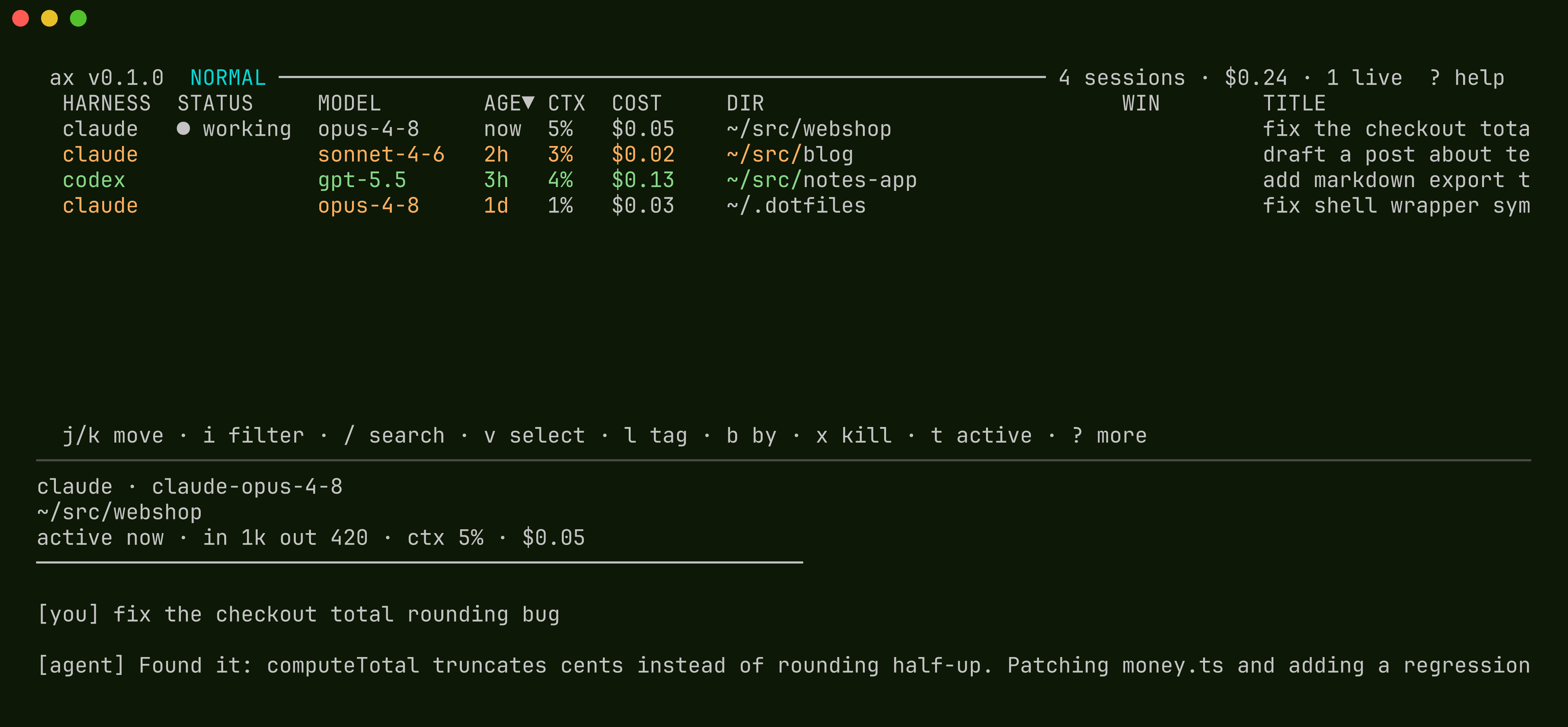
Move with j/k. The preview follows
the cursor. J/K scroll the preview
itself. The STATUS column merges liveness and
attention into one cell. The manual's
status table lists
every value.
Find a session
There are two search prompts with different scopes.
i filters rows on their metadata (harness,
directory, title). / searches inside the
transcripts themselves:
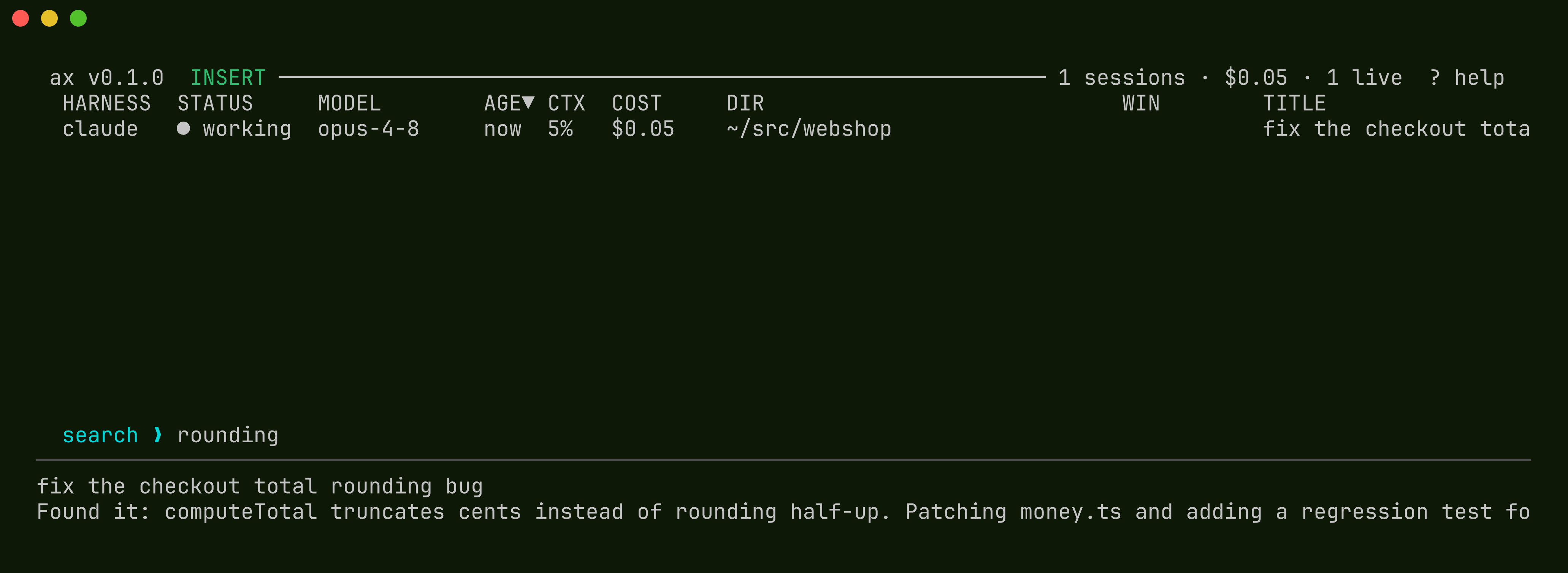
Typing rounding narrowed the list to the one
session whose conversation mentions it, with the match shown
in the preview. n/N jump between
matches. Esc backs out, Enter keeps
the narrowed list so you can act on it.
Resume, or start fresh
Enter on a row resumes that session with the
harness's own resume command, in the session's directory. If
it is already open somewhere, ax jumps to it instead of
starting a duplicate. x kills a session.
c (or ax new) starts a fresh
session: pick a harness, pick a directory, and it launches.
From the shell, ax new claude skips the picker
entirely.
The list is not limited to this machine or these harnesses:
a [[harness]] entry can point at a local LLM's
CLI or a frontier-model harness, and
remote hosts merge
their sessions into the same picker. The next tutorial drives
sessions from the shell instead.
Run a coordinated task
Launch
A coordinated run is one command. The shorthand is
ax coordinate "GOAL", which launches the
bundled coordinator behavior with the reference guardrails
and self-propel; the long form below spells out what it
does. The task states the goal and the done-criteria. The
flags cap cost, tokens, workers, depth, and wall-clock
time:

ax prints the new session id and the run's group id and
returns. The root session (the coordinator) now splits the
work and launches sessions through ax. Each launch inherits
the group, so the run tree assembles automatically.
--max-cost 25 and --max-workers 3
are enforced by ax, not by the model: a launch beyond the
session cap is refused, and a cost overrun cascade-kills the
run.
The coordinator is an ordinary session handed a behavior prompt that names the ax verbs. Every action it takes from here (launch, read, send, tag, ask) is a shell command you could type yourself.
Watch the run
The group id addresses the whole run from the shell:

In the picker, f filters to the group and
T renders the parent tree, like a process
viewer:
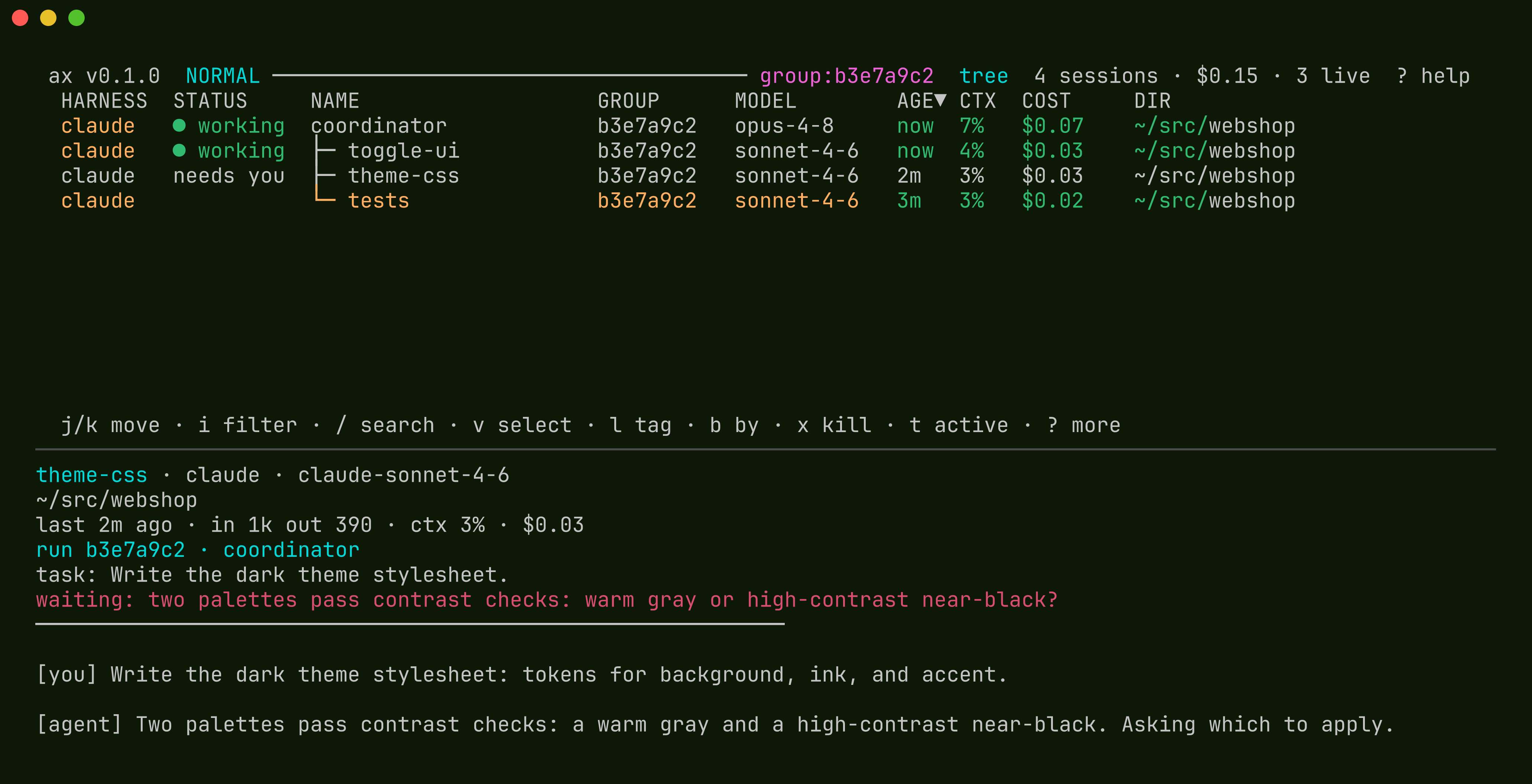
One session is red: theme-css hit a decision it
would not make alone, called ax ask, and
blocked. The question appears in the preview.
Answer it
Press r on the row and type the answer, or from
any shell:

The blocked ax ask call inside the session
returns your text on its stdout and the session continues.
The reply is free-form: a choice, a correction, or the
next instruction. This was the run's only human
intervention, and it happened because the behavior chose
to ask.
You can also read any session's conversation without attaching to it, as normalized turns from the transcript:

ax read --run b3e7a9c2 --follow gives you the
same thing as a stream. It blocks and emits one JSON line per
turn boundary across the whole run. A coordinator runs on this
same stream.
Review and accept
When the criteria pass, the run does not stop silently.
The root tags --outcome success, presents a
one-line result via ax ask, and waits. In the
picker that is the green ✓ review state, ranked
with the attention states but distinct from red
needs you: the run is presenting its result,
not blocked.
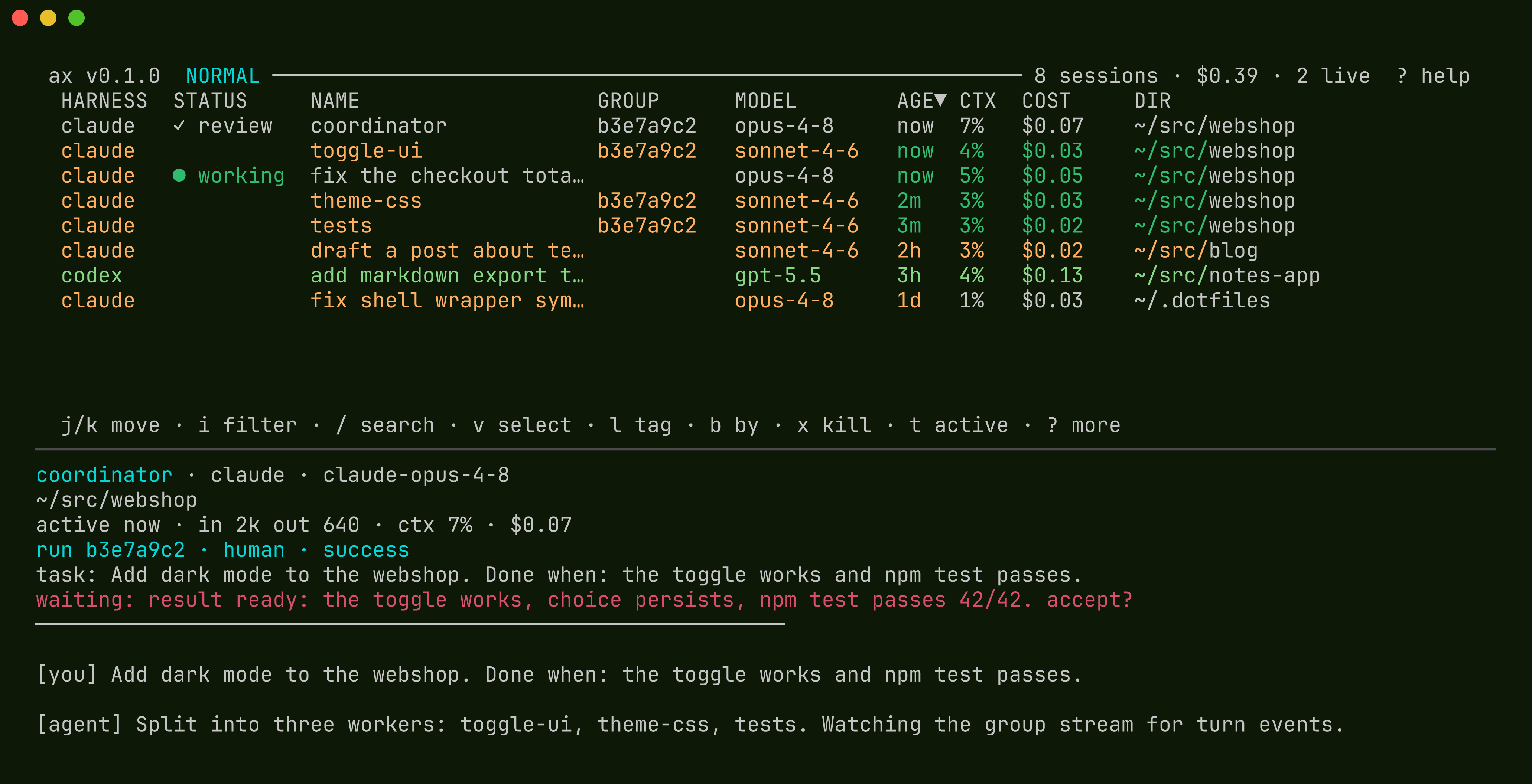
Reply to accept, or reply with updated criteria and the run
continues. With --accept ./check.sh on the
launch, the success tag additionally has to pass your script,
so a run cannot conclude on an unverified claim.
Concluded runs are recorded and can be queried:

Where to go next
The manual's Control
plane chapter covers the full verb set, the fences, and
the accept check. The recipes page
has runnable examples, including running an accept check in CI with
--wait --unattended, supervising an
already-running session toward a goal, and getting notified
when a run needs you.